
Why This Guide Works
It focuses on what actually moves the needle: smart event timing for speedups, an HQ-first upgrade path, and efficient milestones (T2/T3/T4 + power). Follow these steps and you’ll snowball to HQ 25 within the offer window.
Step-by-Step Tips & Tricks (HQ Push)
1) Join an active alliance on day 1
You need the free Help timer reductions, rally loot (extra speedups/resources), and a busy event board. A lively alliance makes the whole run to HQ 25 faster.
2) Keep an HQ upgrade running 24/7
Treat HQ as your main bottleneck. As soon as one level finishes, queue the next. Scan the next HQ level’s requirements and pre-upgrade feeders (depots, barracks, docks, etc.) so the HQ timer is never blocked.
3) Use the “minutes of speedups used” event trick
From the video’s method: don’t dump speedups randomly. Wait for alliance/server missions that reward minutes of speedups. Then shave your long HQ timer to hit the tier—without finishing the upgrade. Claim rewards, pause, and repeat on the next tier. One long HQ timer can feed multiple event tiers while still marching toward 25.
4) Do the quick minutes math
Keep conversions handy so you don’t overspend: 1,440 minutes ≈ 1 day. If a tier asks for 10,000 minutes, that’s ~6.9 days; 1,000 minutes is ~16.7 hours. Hold a stash of 5m/10m/1h speedups to hit thresholds precisely.
5) Run one long + one short queue
Queue a long timer (HQ or major research) you’ll shave for events, plus a short 2–6h build/research you can finish to snag quick mission points and restart. This avoids the “two huge timers, nothing to click” trap.
6) Chase early unit tiers on schedule (T2 → T3 → T4)
These are offer milestones with strict deadlines (e.g., T2 ≤ 48h, T3 ≤ 264h, T4 ≤ 480h). Slot the research/builds so each lands before its window closes while your HQ timer keeps ticking.
7) Plan the 2,000,000 Power checkpoint
Power spikes come cleanly from HQ levels, key buildings, and core research. Stack a couple of chunky finishes to cross 2M within 336h, then pivot back to the HQ rush. Don’t rely only on troop training.
8) Stockpile smart, spend smarter
Farm speedups from dailies, rally/fort chests, gifts, and time-limited events. Buy value-positive items with resources if a market appears; avoid spending gems unless the math is great. Save small speedups for surgical trims.
9) Keep resources flowing
Run production boosts during long grinds, collect on time so storage doesn’t cap, and pre-farm whatever your next HQ level needs. Having mats ready prevents dead time when an event finally pops.
10) Handle purchase steps (only if you want the bonus)
Some milestones require buying gold (small → medium → large totals). If you don’t want to spend out of pocket, learn the step-by-step in our guides to getting a free Google Play gift card and a free Apple gift card—use those for the purchase steps and still collect the payout.
11) Re-login to sync every milestone
When you hit a step (HQ level, unit tier, power), close and re-open Coins2Cash so it syncs and credits your coins, then immediately queue your next long timer.
12) Repeat the cycle
Event tier appears → shave minutes off the long HQ timer → claim → pause → line up the next tier. With alliance Help and steady resource flow, this loop carries you through HQ 20 → 23 → 25 inside the offer window.
Milestones That Pay You on Coins2Cash
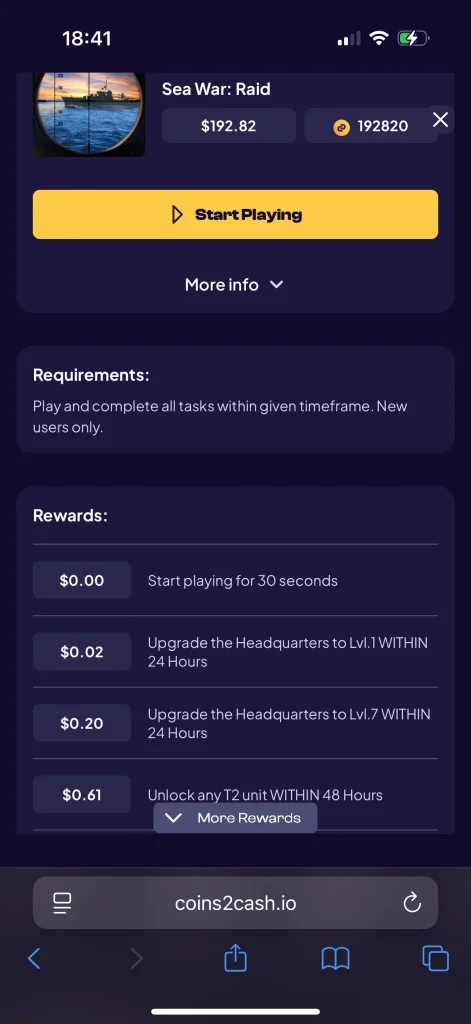
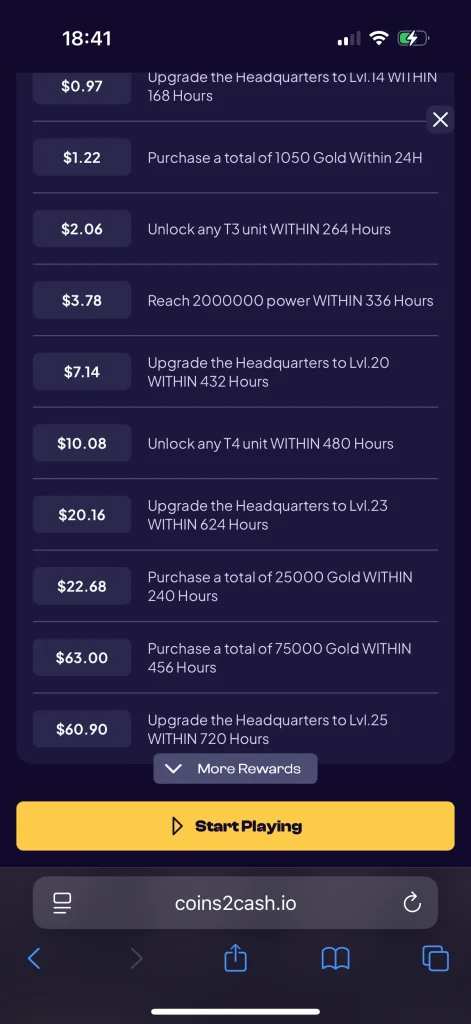
Note: Amounts below are examples from one region. The final payout varies by country – confirm in your Coins2Cash offer page.
Requirements: Play and complete all tasks within the given timeframe (max deadlines listed below). New users only.
How to Claim Your Rewards on Coins2Cash
- Open Coins2Cash and select Sea War: Raid.
- Tap Start Playing and allow tracking so progress records correctly.
- Complete the tasks above within their deadlines.
- Re-open Coins2Cash after each milestone so it syncs and credits your coins.
- Redeem your coins (1,000 C2C coins = $1):
- Go to Cashout → and choose a payout method.
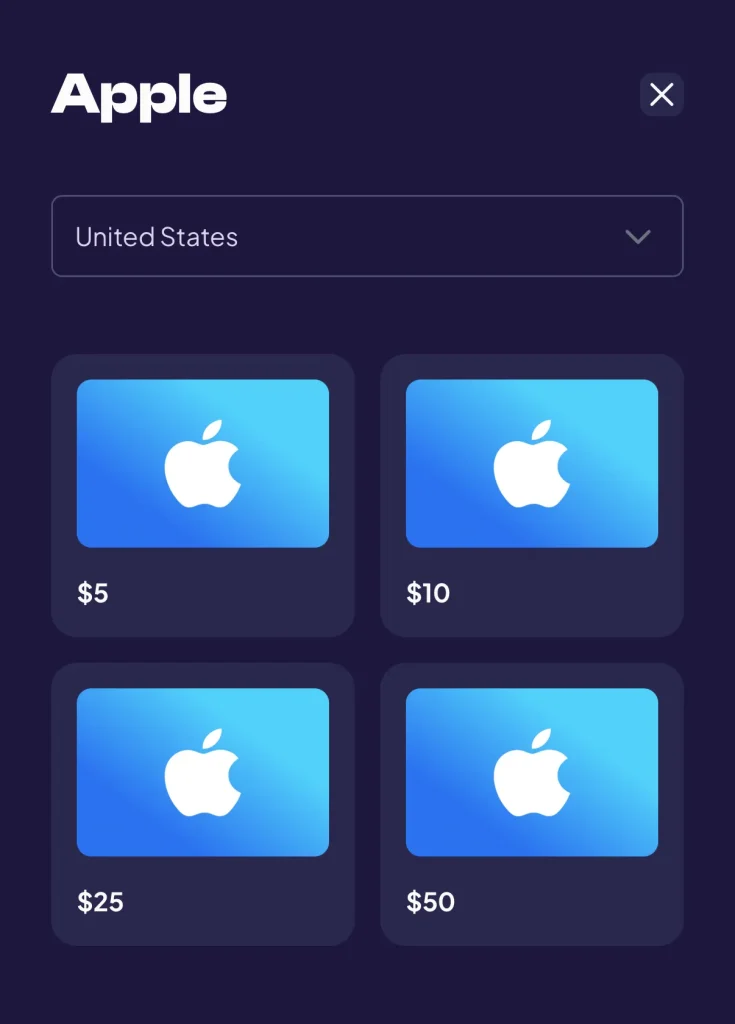
- Available options include Visa (min $2), PayPal (min $0.01), Apple (min $5), Google Play (min $5), PlayStation (min $10), Xbox (min $5), Amazon (min $2), eBay (min $5), Netflix (min $25), and more.
- Select the amount that matches your balance, confirm details, and submit.
Prefer Watching? Here’s the Video
Prefer a walkthrough? Watch this step-by-step HQ-push strategy, including how to time speedups with alliance missions and manage long/short timers efficiently.
Watch on YouTube:
Sea War Raid Game | Unlock Any T2 Unit Within 48 Hours – shows the early research/build order, what to queue first, and how to use the “minutes of speedups” trick so T2 lands before the 48-hour cutoff.
Watch:
Sea War Raid | Unlock Any T3 Unit Within 264 Hours – maps a 10–11 day plan to T3, including one long + one short queue, event timing, and avoiding idle timers so you don’t miss the 264-hour window.
Watch:
Important Notes & FAQs
- Country matters: Final payouts vary by location. Always check your local rates in the dashboard.
- New accounts only: Offers generally require a fresh install with no prior progress.
- Play window: Finish within 30 days (720h max deadline) to unlock all rewards.
- In-app purchase step: Optional—but it’s part of the payout ladder if you want the extra bonus. If you don’t want to spend out of pocket, learn the step-by-step in our guides to getting a free Google Play gift card and a free Apple gift card.